🚧 BETA VERSION: Data is for demonstration purposes. Real satellites use 1-week-old NORAD data, not live real-time positions.
Status
LOADINGInitializing data sources...
Object Classification
LEO 0
MEO 0
GEO 0
HEO 0
Debris 0
Performance Options
Orbital Motion
May impact performance on lower-end systems
Data Sources
Real NORAD 0
Simulated 0
Updated
Never
Satellite Database
LEOS: Mission Ready
Discover.Engage.Explore.
Launching...
Did you know? There are over 34,000 objects larger than 10cm currently orbiting Earth.
Welcome to LEOS: Mission Ready
Discover. Engage. Explore.
LEOS: Mission Ready is your professional-grade space operations platform. Track satellites in real-time, analyze orbital mechanics, manage mission operations, and explore a fully interactive 3D view of Earth, the Moon, and surrounding space with advanced analytics and training capabilities.
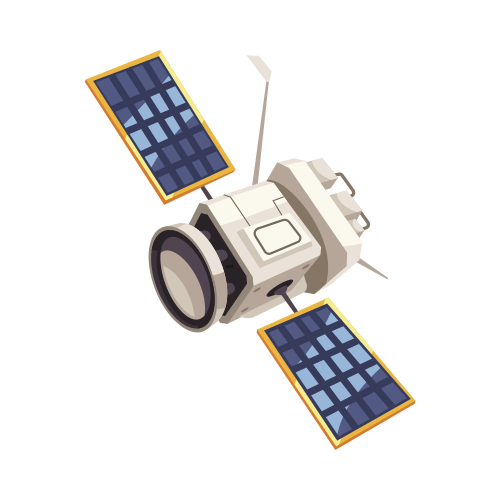
CRTS-1
Captures Earth imagery with advanced optical sensors
Bulldog
Experimental support and research platform
1
Controls & Navigation
Mouse DragRotate Earth view
Mouse WheelZoom in/out
Space KeyPause/Resume
R KeyReset view
O KeyCycle orbit display
Click SatelliteView satellite info
Click Ground StationView ground station info
Click Time DisplayOpen time controls
2
Simulation Speed & Time
Base Time Acceleration: 60:1 ratio
1 real minute = 1 simulated hour
1 real hour = 1 simulated day
24 real hours = 1 simulated month
Speed Settings:
0.25x: Ultra-slow motion (4 orbits/hour)
1.0x: Default speed (16 orbits/hour)
4.0x: Fast forward (64 orbits/hour)
3
Satellite Orbital Facts
Typical LEO Satellite (like ISS):
Orbits Earth every ~90 minutes
Completes ~16 orbits per Earth day
Altitude: ~410km above Earth
Speed: ~7.66 km/s (17,150 mph)
In this simulation:
Realistic orbital mechanics
Synchronized Earth rotation
Accurate day/night terminator
Seasons change every ~6 real days
Use the icon to access the Space Domain Awareness overlay.
Experience authentic space operations with 12,000+ real satellite objects from CelesTrak (updated weekly) plus 46,000+ simulated objects for operational scale.
Train with realistic space domain awareness in a comprehensive orbital environment.
Data Overview
12,000+
Real CelesTrak Objects
Updated weekly
46,000+
Simulated Objects
Operational scale
LEO
MEO
GEO
HEO
Debris
System Features
•
CelesTrak Integration:Weekly updates from authoritative satellite database
•
Interactive Visualization:Hover, filter, and analyze orbital objects
•
Performance Optimized:Smooth rendering of 58,000+ objects
•
Training Environment:Realistic space operations experience
Quick Start - What You Can Do
Interactive Object Analysis
• Hover over any satellite to view real-time orbital parameters
• See object identification and classification instantly
• Access detailed telemetry including altitude, velocity, and period
Advanced Filtering Controls
• Toggle visibility by orbit type (LEO, MEO, GEO, HEO)
• Filter by object category or constellation
• Isolate specific satellite groups for focused analysis
Coming Soon: Real-Time Tracking, Analysis, and Predicted Anomalies
Professional iterations will include advanced analytics and predictive capabilities
LEOS Learning Center
Your Gateway to Space Education
Coming Soon!
The LEOS Learning Center is under development and will be available in a future iteration.
Comprehensive Learning Platform
Master space operations fundamentals through interactive learning, community collaboration, and hands-on simulation anywhere you go.
Learning Resources & Documentation
Space Operations 101 guides and tutorials
Interactive orbital mechanics lessons
Satellite technology fundamentals
Reference materials and quick guides
Video tutorials and walkthroughs
Community & Collaboration
Space enthusiast community forums
Share discoveries and observations
Ask questions and get expert answers
Collaborative learning projects
Connect with fellow space enthusiasts
Interactive Simulation Tools
Hands-on satellite tracking exercises
Orbital mechanics experimentation
Ground station visibility analysis
Launch window calculations
Mission planning scenarios
Operation Simulation Range
Access your simulation range anywhere
Practice space operations procedures
Scenario-based learning exercises
Real-world mission simulations
Safe environment for experimentation
From curious beginner to confident space operations practitioner - all in one comprehensive learning platform.
Need Help?
Contact our Mission Support Team for assistance with LEOS Mission Ready
Email:mission_support@cyberrts.com
Website:cyberrts.com
LEOS Mission Control
Your direct line to our team
Mission Support Team
Quick response
Direct Email
mission_support@cyberrts.com
Website
cyberrts.com
Send Us a Message
Help us improve LEOS and get the support you need
Simulation Settings
Configure simulation parameters and display options
Security & Classification
Show UNCLASSIFIED banner for DoD training environments
Performance
60 FPS
Visual Display
Satellite Appearance
100%
100%
🌌 Orbit Trails
180 min
80%
Camera & Controls
100%
100%
Advanced Settings
100%
Mission Telemetry
Select a satellite to view telemetry.
3D Satellite Model
Coming Soon to LEOS: CAPCOM
Your AI Mission Assistant
CAPCOM is your in-simulation mission assistant, always ready to support, guide, and answer questions while you operate inside the LEOS environment.
?
What CAPCOM Does
Explains Simulation Elements
"What does this telemetry panel mean?"
"What happens when a satellite loses power?"
Guides You Through Missions
Context-aware help: how to start, what's happening, and how to respond.
Answers Space Questions Live
Ask about orbital mechanics, ground stations, or satellite behavior — and CAPCOM explains it clearly.
CAPCOM Will Launch Soon!
We're putting the finishing touches on CAPCOM's AI capabilities. It will be available in the next LEOS update to make your mission operations even more engaging and educational.